



Video Training →Bim Revit Dynamo Outputs For Documentation
Published by: Baturi on 27-08-2022, 06:03 |  0
0
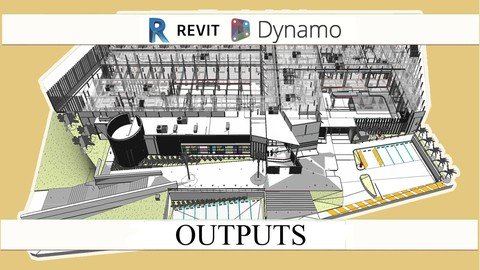
Last updated 3/2018
MP4 | Video: h264, 1280x720 | Audio: AAC, 44.1 KHz
Language: English | Size: 640.92 MB | Duration: 1h 32m
Learn how to create and implement Dynamo scripts for document creation from your model.
What you'll learn
Learn how to use dynamo for Document and Information Management
Use previous settings or templates to achieve a desire result on plans.
Check and Improve efficiency on documents extracted from the model
Save hours, days even weeks by creating routines on dynamo player.
Requirements
A Computer to accomplish the recommended exercises
Need to install a trial of Autodesk Revit 2018 and Dynamo 1.3 on the Computer
Need to know how to model on Revit 2018, LOD 200, LOD 300
Have Taken the BIM Blueprints for Revit so concepts of documents would be clear
Have taken the course Dynamo for Analysis to have general background about the use of Dynamo
Description
This course its designed to change your perspective about what dynamo can do for productivity, we would review document outputs used in revit for plans and how dynamo can aproach to this, by reviewing code and creating dynamo player playlists that other uses can have without dynamo.Its design to challenge your processes and find out practical shortcuts to complex tasks.BIM it's now on a second digital revolution where communication skills and programming would create a different value to construction and infrawstructure BIM projects, the core stream would be reflected in responses and computer analysis rather than handmade models.
This course would be a definite breakup point on how models are produce since it attacks a huge time taker, the document production.
More often than ever analysis and alternatives need to evolve with the design, nevertheless we still have a lot of collaborators who aren't BIM yet, so we still need to create Blueprints for that purpose , and because production of plans often takes at least 40% hand made we ended up taking a lot on time to plan production.
This course its divided in three main sections, document creation, document management and finally document standard keeper. Each of this with a sample and their related scripts to test it and start using it for production.
The materials and the access to the course is for lifetime, Mark the topics you already new and review the unknown materials so the course traking can follow your preferences and more related courses can come to production.
Go at your own pace, jump between sections for certain topics, and make as many questions as you feel .
Be the first to know of future courses regarding BIM, take advantages of all the opportunities that may appear and use it to improve your work performance and get better job positions.
Overview
Section 1: Introduction
Lecture 1 Introduction
Lecture 2 Basic Topics about Documentation that would be usefull
Section 2: Quick Fast and Simple Dynamo Overview to use and implement course scripts.
Lecture 3 General use of Nodes
Lecture 4 Required Packages for Dynamo Player and Playlists
Section 3: Dynamo Document Creation
Lecture 5 Creating Shared Parameters
Lecture 6 How the Manage Prameters and Create Shared Parameter Work
Lecture 7 Creating Filters
Lecture 8 Filters Playlist
Lecture 9 Appling Templates
Lecture 10 View Overrides
Lecture 11 Creating a Process Protocol with DataShapes
Lecture 12 Creating Axonometric Views
Lecture 13 Creating Drafting Views
Lecture 14 Creating Sheets
Section 4: Dynamo Document Managment
Lecture 15 Creating Tags on views
Lecture 16 Creating Symbols on Views
Lecture 17 Creating Dimensions on Views
Lecture 18 Create Schedules
Section 5: Dynamo as Standard Keeper
Lecture 19 Use it to review parameters for Documentation
Lecture 20 Numbering Elements
Lecture 21 Aligning Text of Elements
Lecture 22 Purge unnecesary Items
Architects, Engineers, that want to set their plans properly on Revit, export them to DWG files and understand all tagging and setting of materials.,BIM Modelers that what to solve their plans taken from the Model and avoid to export it from Revit,BIM Modelers, Coordinators, Managers that want to change the production process from hand made blueprints to Dynamo Production Blueprints.,Anyone that wants to speed up the extraction of documents with Revit
Homepage
https://www.udemy.com/course/dyn_outputs/

https://rapidgator.net/file/f455b2117471be7590f0a866f518180b/dtkir.Bim.Revit.Dynamo.Outputs.For.Documentation.rar.html

https://uploadgig.com/file/download/230f7d6dE7727f71/dtkir.Bim.Revit.Dynamo.Outputs.For.Documentation.rar

https://nitroflare.com/view/3F7210EE6EE26B4/dtkir.Bim.Revit.Dynamo.Outputs.For.Documentation.rar
Please Help Me Click Connect Icon Below Here and Share News to Social Network | Thanks you !
Help Us Grow – Share, Support
We need your support to keep providing high-quality content and services. Here’s how you can help:
- Share Our Website on Social Media! 📱
Spread the word by sharing our website on your social media profiles. The more people who know about us, the better we can serve you with even more premium content! - Get a Premium Filehost Account from Website! 🚀
Tired of slow download speeds and waiting times? Upgrade to a Premium Filehost Account for faster downloads and priority access. Your purchase helps us maintain the site and continue providing excellent service.
Thank you for your continued support! Together, we can grow and improve the site for everyone. 🌐
Related News
-
{related-news}
Comments (0)

Information
Users of Guests are not allowed to comment this publication.
Search
Updates
Partner
» TutBB
» Byte
» Crawli
» Warezomen
» Warez-DDL
» Raidrush
» KATZCD
» Free Ebooks Library
Your Link Here ?
(Pagerank 4 or above)
» Byte
» Crawli
» Warezomen
» Warez-DDL
» Raidrush
» KATZCD
» Free Ebooks Library
Your Link Here ?
(Pagerank 4 or above)