



Video Training →Bim 4D Simulations Autodesk Revit, Dynamo, Navisworks & Max
Published by: Baturi on 20-08-2022, 14:51 |  0
0
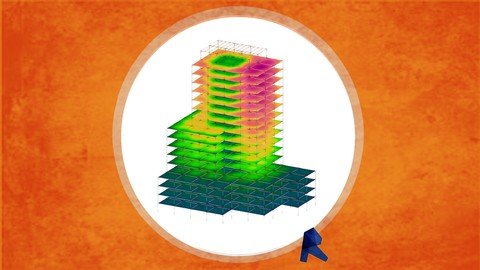
Last updated 8/2018
MP4 | Video: h264, 1280x720 | Audio: AAC, 44.1 KHz
Language: English | Size: 854.95 MB | Duration: 2h 40m
Learn several ways of creating construction simulations using different tools and scripts
What you'll learn
How to create construction simulations using Navisworks Manage
How to create construction simulations using Navisworks Manage, Project and Revit with Parameters
How to create construction simulations using Revit 2018, Project, Navisworks Manage, and Dynamo for an element by element result
How to create construction simulation using the previously result over 3d Max and program it to get different results by maxscript.
Requirements
A Computer to accomplish the recommended exercises
Need to install a trial of Autodesk Revit 2018 , Navisworks Manage 2018 ,Dynamo 1.3 and 3d Max 2018 on the Computer
Need to know how to create basic models for Construction
Need to know how to create time schedules for execution.
Description
This course it's designed for teaching you how to create construction simulations, using several tools from the Autodesk Suite.
BIM it's on a deep expansion for the AEC (Architecture, Engineering and Construction) Industry so each time more and more projects are developed over this methodology changing the quality standards for construction and design.
In this case Construction Simulations are the tool we are to explore because they can communicate directly and graphically with everybody
First set of Simulations go working with a normal typical Workflow between Revit and Navisworks, linking tasks with selection sets or by parameters, that can lead to a general decision taking.
Second Set uses Dynamo as an engine for time scheduling development, to get all activities and objects synchronized and then visualize them on Navisworks or on 3d Max.
And Third Set uses 3d Max as a tool for coding animations with their own engine synchronized with the Revit Model and the Dynamo Outputs to create stunning results.
This course goes from scratch with construction simulations but it requaries that students know how to model, and have basic skills with dynamo, so they can develop further tools to their own interest.
The course has one single exercise to be follow up and send it by each single type of simulation.
The materials include the scripts saw on the course plus the Custom Nodes created specifically for it.
Are you tired of taking courses that go to fast with a lot of content? Don't worry go at your own pace, jump between sections for certain topics, the access is for lifetime.
Also, we have a direct response for any topic listed, so we can improve the content.
Be the first to know of future courses regarding BIM, take advantage of all the opportunities that may appear and use it to improve your work performance and get better job positions.
Overview
Section 1: Introduction
Lecture 1 Introduction
Section 2: Linking Time and Objects in Revit
Lecture 2 Basic Simulation on Navisworks
Lecture 3 Improved Simulation With Selection Sets
Lecture 4 Simulation with a Parameter and Rules
Lecture 5 This is as much as it can get with out Dynamo
Section 3: Dynamo Starting Point
Lecture 6 Opening Dynamo from Revit
Lecture 7 Data Types
Lecture 8 Function Types
Lecture 9 Dynamo General Work Process
Lecture 10 Lists
Lecture 11 Lacing
Lecture 12 Functions Over Lists
Lecture 13 Recomendation on how to learn functions
Lecture 14 Work with Strings
Section 4: Setting with Dynamo a Simulation By Parts
Lecture 15 Override Color By Parameter Simulation
Lecture 16 Custom Nodes and Dynamo Player
Lecture 17 SettingOrderElementsonDynamo
Lecture 18 SimPartsbyOrigins
Lecture 19 Setting Time From Project to Parts
Lecture 20 Simulating Navisworks With Parts
Lecture 21 Simulate Parts of Parts
Section 5: Getting everything to Max
Lecture 22 Using Maxscript
Lecture 23 Using Maxscript to name elements by Id
Lecture 24 Creating an animation with the general timeschedule
Lecture 25 Creating an animation with a csv file
Lecture 26 Use the set of maxscript to create diferent behaviors on 3dMax
Lecture 27 Final Exercise
Lecture 28 Course Resources
Builders, Engineers, Constructors, and Architects that want to create simulations on more than just a relationship with plain tasks,Constructors, Engineers and Architects that had taken the Navisworks course but want to get closer to a 4d BIM estimation.,Designers who want to blow up their clients expectation using simulation of construction as part of a show up.
Homepage
https://www.udemy.com/course/simulate/
Download from UploadCloud
https://www.uploadcloud.pro/wdo0qee2zp5o/xfveq.Bim.4D.Simulations.Autodesk.Revit.Dynamo.Navisworks..Max.rar.html

https://rapidgator.net/file/58f20c425806840d462b65e0841b1031/xfveq.Bim.4D.Simulations.Autodesk.Revit.Dynamo.Navisworks..Max.rar.html

https://uploadgig.com/file/download/f8eAd85f05046470/xfveq.Bim.4D.Simulations.Autodesk.Revit.Dynamo.Navisworks..Max.rar

https://nitroflare.com/view/E6FC0B080751A3D/xfveq.Bim.4D.Simulations.Autodesk.Revit.Dynamo.Navisworks..Max.rar
Please Help Me Click Connect Icon Below Here and Share News to Social Network | Thanks you !
Help Us Grow – Share, Support
We need your support to keep providing high-quality content and services. Here’s how you can help:
- Share Our Website on Social Media! 📱
Spread the word by sharing our website on your social media profiles. The more people who know about us, the better we can serve you with even more premium content! - Get a Premium Filehost Account from Website! 🚀
Tired of slow download speeds and waiting times? Upgrade to a Premium Filehost Account for faster downloads and priority access. Your purchase helps us maintain the site and continue providing excellent service.
Thank you for your continued support! Together, we can grow and improve the site for everyone. 🌐
Related News
-
{related-news}
Comments (0)

Information
Users of Guests are not allowed to comment this publication.
Search
Updates
Partner
» TutBB
» Byte
» Crawli
» Warezomen
» Warez-DDL
» Raidrush
» KATZCD
» Free Ebooks Library
Your Link Here ?
(Pagerank 4 or above)
» Byte
» Crawli
» Warezomen
» Warez-DDL
» Raidrush
» KATZCD
» Free Ebooks Library
Your Link Here ?
(Pagerank 4 or above)