



Video Training →Firebase Dynamic Links In Flutter | Flutter Course
Published by: FreshWap.CC on 7-07-2022, 04:50 |  0
0
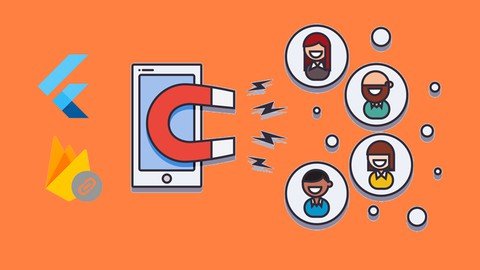
Firebase Dynamic Links In Flutter | Flutter Course
Last updated 6/2022
MP4 | Video: h264, 1280x720 | Audio: AAC, 44.1 KHz
Language: English | Size: 821.69 MB | Duration: 1h 9m
Are you getting new users? You need Dynamic Links. The Direct and Easy method to get new users. Top companies use them.
What you'll learn
Android & iOS Integration For Firebase Dynamic Link
How to create professional dynamic links manually
How to create multiple dynamic links by code
How to share a product via dynamic link
How to share location via dynamic link
Requirements
Flutter Basics
Description
All top companies use Dynamic Link or Deep Link. To get new customers.How?They use a Link, that can send users directly to their app.Doesn't matter Whether or not the app is already installed. From ads directly to the app or web product page.and you can use it, in the same way.So without distorting any more let's get startedFirebase Dynamic LinksFirebase Dynamic Links are links that work the way you want, on multiple platforms, and whether or not your app is already installed.With Dynamic Links, your users get the best available experience for the platform they open your link on. If a user opens a Dynamic Link on iOS or Android, they can be taken directly to the linked content in your native app. If a user opens the same Dynamic Link in a desktop browser, they can be taken to the equivalent content on your website.In addition, Dynamic Links work across app installs: if a user opens a Dynamic Link on iOS or Android and doesn't have your app installed, the user can be prompted to install it; then, after installation, your app starts, and can access the link.How does it work?You create a Dynamic Link either by using the Firebase console, using a REST API, iOS or Android Builder API or by forming a URL by adding Dynamic Link parameters to a domain specific to your app. These parameters specify the links you want to open, depending on the user's platform and whether your app is installed.
Overview
Section 1: Dynamic Links
Lecture 1 Project Setup
Lecture 2 How to create Dynamic Links manually
Lecture 3 Book Store App - Share any book with your friends
Lecture 4 (coming soon)Map App | Part 01 - Share location with your friend
Lecture 5 (coming soon)Map App | Part 02 - Share location with your friends
Anyone who wants to add Dynamic Links in Flutter App.
Homepage
https://www.udemy.com/course/dynamic-links-in-flutter-2020/

https://rapidgator.net/file/8ce2395d40174269c32cc6bb1bf20909/dsggs.Firebase.Dynamic.Links.In.Flutter..Flutter.Course.rar.html

https://nitro.download/view/CE3F3A9ED9181EE/dsggs.Firebase.Dynamic.Links.In.Flutter..Flutter.Course.rar

https://uploadgig.com/file/download/111d282E5d8bf4a0/dsggs.Firebase.Dynamic.Links.In.Flutter..Flutter.Course.rar
Links are Interchangeable - No Password - Single Extraction
Help Us Grow – Share, Support
We need your support to keep providing high-quality content and services. Here’s how you can help:
- Share Our Website on Social Media! 📱
Spread the word by sharing our website on your social media profiles. The more people who know about us, the better we can serve you with even more premium content! - Get a Premium Filehost Account from Website! 🚀
Tired of slow download speeds and waiting times? Upgrade to a Premium Filehost Account for faster downloads and priority access. Your purchase helps us maintain the site and continue providing excellent service.
Thank you for your continued support! Together, we can grow and improve the site for everyone. 🌐
Related News
-
{related-news}
Comments (0)

Information
Users of Guests are not allowed to comment this publication.
Search
Updates
Partner
» TutBB
» Byte
» Crawli
» Warezomen
» Warez-DDL
» Raidrush
» KATZCD
» Free Ebooks Library
Your Link Here ?
(Pagerank 4 or above)
» Byte
» Crawli
» Warezomen
» Warez-DDL
» Raidrush
» KATZCD
» Free Ebooks Library
Your Link Here ?
(Pagerank 4 or above)