



Software / Graphics & Design →Vegas Image 3.1.0.0 (x64)
Published by: Baturi on 26-02-2022, 03:04 |  0
0
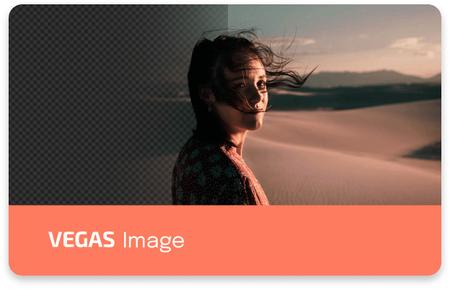
Vegas Image 3.1.0.0 (x64) | 96.7 Mb
VEGAS Image is a raw image compositor. It uses layer-based compositing to combine images in 16-bit color space. When using raw images, it accesses the full range of raw color data, providing the highest quality in the industry. And by using the GPU for the heavy lifting, performance is still astonishingly fast, even on high resolution images.
VEGAS Image provides a full toolkit to create composite images for a range of applications, including:
- Event photography: Easily and quickly batch process large quantities of images shot using the same setup, by applying the same settings to all images automatically.
- Studio photography: Full control over the individual images in your composite allow you to carefully construct realistic results that cannot be shot practically.
- Advertising campaigns: Batch processing includes controls for easily creating consistency in layout across multiple exported images in different sizes and aspect ratios. Easily add text and other graphics to your composites using the built-in tools.
- Catalogs: Green screen photography makes it simple to replace backdrops behind your models or products, to add imagery that enhances the products being sold.
and much more.
Batch and workflow features:
- Layer content: A fundamental feature of the VEGAS Image workflow is that layers exist as containers, and each layer can contain multiple images. So when working with a batch of images, you can set up a single layer the way you want, and import the entire batch of images into it. Multiple layers can be used to set up different elements, or to process groups of images from the batch using different settings.
- Custom export list: In addition to easily auto-exporting all images in your project, you can easily set up custom export lists, to only export specific images, or specific variations of the layers stored in the project.
- Content variations: Creating variations of images based on layer content is also possible. For example, you may have one layer for your background, which contains three different background images. A second layer might contain 5 foreground images. It is a simple process to export each foreground three times, once with each background, for a total of 15 image variations. Those numbers aren't limitations, each layer could contain one image or hundreds.
System Requirements:Microsoft Windows 11 (64-bit), Microsoft Windows 10 (64-bit), Microsoft Windows 8 (64-bit)
Home Page -
https://www.vegascreativesoftware.com/Buy Premium From My Links To Get Resumable Support,Max Speed & Support Me



Help Us Grow – Share, Support
We need your support to keep providing high-quality content and services. Here’s how you can help:
- Share Our Website on Social Media! 📱
Spread the word by sharing our website on your social media profiles. The more people who know about us, the better we can serve you with even more premium content! - Get a Premium Filehost Account from Website! 🚀
Tired of slow download speeds and waiting times? Upgrade to a Premium Filehost Account for faster downloads and priority access. Your purchase helps us maintain the site and continue providing excellent service.
Thank you for your continued support! Together, we can grow and improve the site for everyone. 🌐
Related News
-
{related-news}
Comments (0)

Information
Users of Guests are not allowed to comment this publication.
Search
Updates
Partner
» TutBB
» Byte
» Crawli
» Warezomen
» Warez-DDL
» Raidrush
» KATZCD
» Free Ebooks Library
Your Link Here ?
(Pagerank 4 or above)
» Byte
» Crawli
» Warezomen
» Warez-DDL
» Raidrush
» KATZCD
» Free Ebooks Library
Your Link Here ?
(Pagerank 4 or above)