



Software / Software for macOS →inPixio Photo Cutter 1.5.92 macOS
Published by: Baturi on 10-12-2020, 15:05 |  0
0
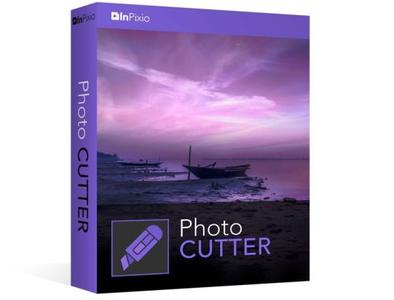
inPixio Photo Cutter 1.5.92 Multilingual macOS | 194.6 Mb
Photo enthusiasts often wish there were digital scissors and that unsightly backgrounds could be removed without affecting the quality of the image. This is where InPixio Photo Cutter 8 comes into its own, the perfect affordable and user-friendly solution for anyone wanting to change their background quickly and easily. Photo Cutter includes a versatile digital cutting tool, which can be used to crop out any details, people, objects, or even entire scenes in photos.
With InPixio Photo Cutter, Cut-out any detail, person, object or landscape element from your photos. Select the shape of the object thanks to the cursor or the background to remove, Photo Cutter algorithm runs automatically! You can also use the "retention" cursor for important details to keep and get a successful clipping! Even fine details such as hair can be removed with amazing precision. Then simply paste the cut objects on any background to make collages or photomontages - in just 1-click!
Key Features:
- Remove Image Backgrounds
- Cutout Defined Objects Easily
- Compose Photo Montages
- Comes With Practical Tutorials
- Image cropping: the software incorporates seven pre-defined formats (format 16:9, 4:3, etc.) or you can define your own
- Image formats supported: Jpeg and TIFF (8-bit or 16-bit), PNG, BMP, GIF and JpegXR
Create impressive photomontage
With Photo Cutter you can use these removed objects in other images to create photo-montages or collages.
Allowing you to create impressive photo-montages!
The interactive assistant and tutorials will guide you enhancing all your photos!
Cut-out like magic with Cutter
The edge smoothing allows you to intelligently smooth contours for a softer transition between the subject and the background, for even more successful integration into your photo-montage.
Lots of great reasons to try Photo Cutter for PC
- Image formats supported
- Jpeg and TIFF (8-bit or 16-bit), PNG, BMP, GIF and JpegXR
- Image cropping
- The software incorporates seven pre-defined formats (format 16:9, 4:3, etc.) or you can define your own.
- Compose Photo Montages
- Comes With Practical Tutorials
- Cut-out Defined Objects Easily
- Remove Image Backgrounds
System Requirements:
- (Mac OSX) 10.11 and higher
- 2,4 GHz Intel® Core 2 duo processor or equivalent
- 2 GB RAM
- Graphics card with 256 MB memory
Home Page -
https://www.inpixio.comBuy Premium From My Links To Get Resumable Support,Max Speed & Support Me



Help Us Grow – Share, Support
We need your support to keep providing high-quality content and services. Here’s how you can help:
- Share Our Website on Social Media! 📱
Spread the word by sharing our website on your social media profiles. The more people who know about us, the better we can serve you with even more premium content! - Get a Premium Filehost Account from Website! 🚀
Tired of slow download speeds and waiting times? Upgrade to a Premium Filehost Account for faster downloads and priority access. Your purchase helps us maintain the site and continue providing excellent service.
Thank you for your continued support! Together, we can grow and improve the site for everyone. 🌐
Related News
-
{related-news}
Comments (0)

Information
Users of Guests are not allowed to comment this publication.
Search
Updates
Partner
» TutBB
» Byte
» Crawli
» Warezomen
» Warez-DDL
» Raidrush
» KATZCD
» Free Ebooks Library
Your Link Here ?
(Pagerank 4 or above)
» Byte
» Crawli
» Warezomen
» Warez-DDL
» Raidrush
» KATZCD
» Free Ebooks Library
Your Link Here ?
(Pagerank 4 or above)