



E-Books →Photoshop Practical Course Accelerated Initiation to Image Design and Editing
Published by: book24h on 28-01-2023, 16:46 |  0
0
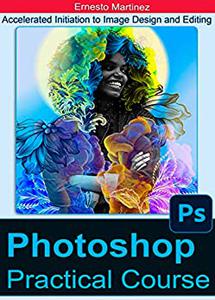
Photoshop Practical Course: Accelerated Initiation to Image Design and Editing by Ernesto Martinez
English | 2022 | ISBN: N/A | ASIN: B0BF14VK7P | 236 pages | MOBI | 14 Mb
For those who have little or no experience with this type of program, this Book is intended. Nothing is difficult when we have desires and ambitions to learn. With this text we put at your disposal all the detailed theory, with practical applications, thickened with abundant descriptive images as an example and exercises that you can execute from Photoshop, while you advance in the study. To help and facilitate the understanding of the lessons, we provide you with a free downloadable package ( link at the end of this book ) with exercises and images that I recommend doing while reading this book. You must have a version of Photoshop installed to run the exercises while alternating with reading the book.
Contents
_INTRODUCTION
_Knowing the Screen.
_Tools to Straighten and Crop the Image.
_How to Correct Tones and Colors, RGB and CMYK modes.
_The Selections and the Masks.
_Select by Color Tolerance with the "Magic Wand"
_The Quick Mask, How to manually retouch a selection.
_Quick Mask to Create Selections with Gradient.
_Save Selections.
_Storing selections in channels - the "Channels" palette.
_The "Lasso" tools to make Selections.
_The Marquee tools for making Selections.
_The "Selection / Modify" and "Selection / Transform" menus
_Move a Selection.
_How to Correct Red Eyes
_Backgrounds and layers
_Management and editing of layers, such as configuring the size of the image.
_Manipulating Images.
_The Layer Mask.
_The Adjustment Layers.
_The Fusions of Layers.
_The Fillings and the Filling Layers.
_The Paths.
_Geometric Vector Shapes.
_ The Tools to Erase.
_How to extract a part of the image.
_Select Subject command
_The Cloning "Buffer" Tool.
_The Cloning of Motives
_The "History Brush" Tool, touch up with history.
_The "Brush", "Eyedropper" and "Measurement" tools, paint and retouch.
_The "Burn, Dodge and Sponge" retouch tools
_The "Blur / Sharpen / Finger" tools and the unsharp mask.
_The Text tool.
_Convert the text to a vector shape, distort the text.
_Artistic text, how to add effects.
_Distortion and effect filters.

Fikper
ttqdp.P.P.C.A.I.t.I.D.a.E.rar.html
Rapidgator
ttqdp.P.P.C.A.I.t.I.D.a.E.rar.html
NitroFlare
ttqdp.P.P.C.A.I.t.I.D.a.E.rar
Uploadgig
ttqdp.P.P.C.A.I.t.I.D.a.E.rar
Please Help Me Click Connect Icon Below Here and Share News to Social Network | Thanks you !
Help Us Grow – Share, Support
We need your support to keep providing high-quality content and services. Here’s how you can help:
- Share Our Website on Social Media! 📱
Spread the word by sharing our website on your social media profiles. The more people who know about us, the better we can serve you with even more premium content! - Get a Premium Filehost Account from Website! 🚀
Tired of slow download speeds and waiting times? Upgrade to a Premium Filehost Account for faster downloads and priority access. Your purchase helps us maintain the site and continue providing excellent service.
Thank you for your continued support! Together, we can grow and improve the site for everyone. 🌐
Related News
-
{related-news}
Comments (0)

Information
Users of Guests are not allowed to comment this publication.
Search
Updates
Partner
» TutBB
» Byte
» Crawli
» Warezomen
» Warez-DDL
» Raidrush
» KATZCD
» Free Ebooks Library
Your Link Here ?
(Pagerank 4 or above)
» Byte
» Crawli
» Warezomen
» Warez-DDL
» Raidrush
» KATZCD
» Free Ebooks Library
Your Link Here ?
(Pagerank 4 or above)